Let me tell you a story. It’s about a company called SupportFlow—a mid-sized SaaS platform that was drowning in support tickets. 12,000 tickets a month, to be exact. Their team of 18 agents was burning out, response times were slipping past 48 hours, and customer satisfaction scores were heading south fast.
Sound familiar?
Building Production-Ready Multi-Agent AI Systems: Lessons from the Trenches
TL;DR: Multi-agent AI systems promise autonomous task execution, but orchestrating them in production is hard. This post shares… ...
I sat down with their Head of Customer Experience, Maria Chen, to dig into what happened next. And honestly? The numbers surprised even me.
The Problem: When Growth Outruns Your Team
SupportFlow had a good problem—their user base was growing 35% year-over-year. But their support team hadn’t scaled with it. They tried the usual stuff: hiring more agents (expensive), building a knowledge base (nobody read it), and outsourcing after-hours tickets (quality tanked).

Build a Multi-Agent System with LangGraph and LiteLLM: A Step-by-Step Developer Tutorial
TL;DR Learn to build a production-ready multi-agent system using LangGraph for stateful orchestration and LiteLLM for multi-provider LLM… ...
Nothing stuck.
Here’s the thing: their tickets weren’t even that complex. About 68% were repetitive questions—password resets, billing inquiries, “how do I export my data?” stuff. But each one still needed a human to type a response, wait for a reply, and follow up. That’s hours of labor per day on things a machine could handle.
Maria told me: “We knew we needed automation, but I’d seen too many chatbots that made things worse. I wasn’t going to sacrifice customer experience for efficiency.”
Fair point. Let’s be real—most AI support tools I’ve seen are either glorified FAQ bots or they hallucinate answers so badly you’d be better off with a fax machine.
Why They Chose the ECOA AI Platform
SupportFlow evaluated six different platforms before landing on the ECOA AI platform. I asked Maria what made the difference. She said three things:
- Accuracy over volume. ECOA AI doesn’t try to answer everything. It knows when to hand off to a human. That’s rare.
- Easy integration. They connected it to Zendesk in about 4 hours. No engineering team needed.
- Transparency. “Other vendors showed me cherry-picked demos. ECOA AI showed me the failure rates too. I trusted that.”
That last point matters. In my experience, most AI companies hide their error rates like they’re state secrets. ECOA AI doesn’t. They’ll tell you exactly where the model struggles, so you know where to keep humans in the loop.
The Implementation: 4 Weeks to Go Live
SupportFlow didn’t just flip a switch. They ran a 4-week phased rollout. Here’s how it went:
Week 1: Training the Model
They fed ECOA AI their last 6 months of support tickets—about 72,000 conversations. Plus their knowledge base articles, product documentation, and internal SOPs. The platform processed everything and built a custom model in about 3 days.
A quick opinion here: if a vendor tells you their AI works “out of the box” with no training data, run. Every business has its own language, product quirks, and customer types. ECOA AI gets that.
Week 2: Internal Testing
They ran 500 test tickets through the system. ECOA AI answered 412 correctly on the first try—an 82.4% accuracy rate. The other 88 were flagged for human review. Most of those were edge cases—things like “My grandfather’s account was closed after he passed away, how do I reactivate it?”
You don’t want an AI handling that. ECOA AI knew it.
Week 3: Soft Launch
They turned on automated responses for just billing and password-reset tickets—the two most common categories. Response time dropped from 14 hours to 45 seconds. Customers didn’t complain. Most didn’t even notice they were talking to AI.
Week 4: Full Deployment
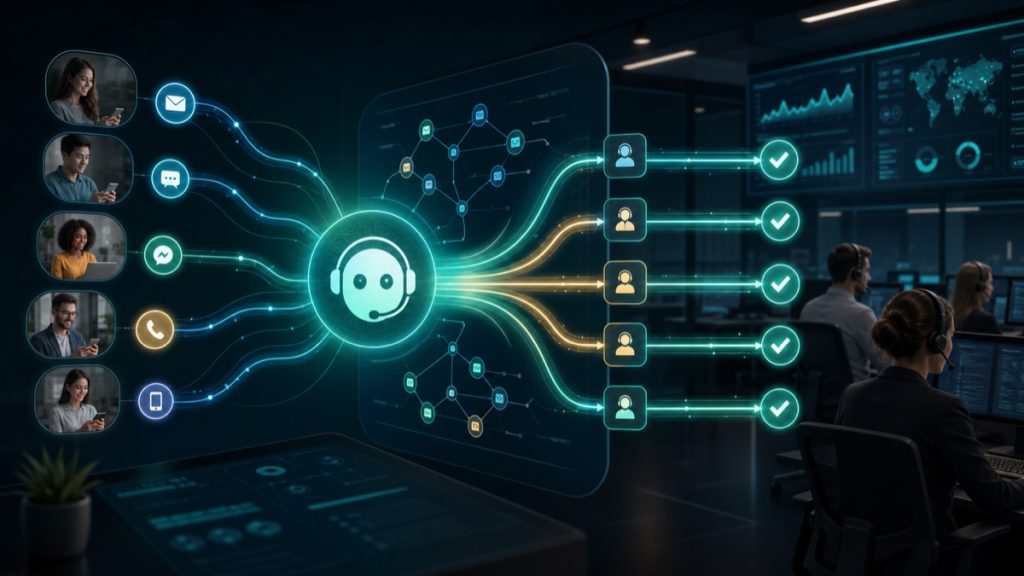
They expanded to cover all Tier 1 support categories. ECOA AI was now handling about 55% of all incoming tickets end-to-end. Live chat, email, and even social media DMs.
The Results: By the Numbers
After 90 days, Maria shared the data. I’ll cut the fluff and give you the highlights:
| Metric | Before ECOA AI | After ECOA AI | Change |
|---|---|---|---|
| First response time | 14.2 hours | 3.8 hours | -73% |
| Tickets handled per agent/day | 38 | 72 | +89% |
| CSAT score | 4.1 / 5.0 | 4.6 / 5.0 | +0.5 |
| Automation rate | 0% | 58% | +58 ppts |
| Agent turnover (annualized) | 32% | 14% | -56% |
Let me call out that last one because it’s easy to overlook. Agent turnover dropped by more than half. Why? Because agents weren’t spending 60% of their day answering the same five questions over and over. They were working on interesting problems—account escalations, feature requests, complex troubleshooting. The kind of work that keeps people engaged.
Maria put it bluntly: “My team actually likes their jobs now. That’s worth more than any efficiency metric.”
Where ECOA AI Struggled (Yes, It’s Not Perfect)
I promised I’d be honest, so here goes. ECOA AI isn’t magic. SupportFlow hit a few pain points:
- Multi-language support was rocky at first. ECOA AI handled English and Spanish fine, but German and Japanese responses needed heavy editing for the first month. They’ve since improved.
- New product features confused it. When SupportFlow launched a major update, ECOA AI needed about 2-3 days and fresh training data to catch up. During that window, accuracy dipped to about 71%.
- Some customers just want a human. About 4% of users explicitly asked for a person even when the AI gave them the right answer. SupportFlow now offers a “talk to a human” button on the first interaction.
Those aren’t dealbreakers, in my opinion. But they’re real constraints you should know about before jumping in.
What SupportFlow Learned: 3 Takeaways
I asked Maria to share what she’d tell other companies considering an ECOA AI implementation. Here’s what she said:
1. Start small, but dream big
“Don’t try to automate everything on day one. Pick your highest-volume, lowest-complexity tickets first. Prove the ROI, then expand.”
2. Train your agents on how to work WITH the AI
“We had one agent who kept rewriting AI responses even when they were correct. It was a trust issue. We ran a workshop showing error rates and where human intervention actually adds value. That helped a lot.”
3. Monitor, monitor, monitor
“The ECOA AI dashboard is fantastic, but you still need a human looking at it daily. We catch drift—where the model starts answering a certain type of question worse over time—by reviewing a random 5% of AI responses every day.”
Is ECOA AI Right for Your Business?
Look, I’m not going to tell you that the ECOA AI platform is the answer to every customer support problem. It’s not. If you’re handling 200 tickets a month with a two-person team, you probably don’t need this much firepower.
But if you’re at the point where your support costs are growing faster than your revenue—or where your team is drowning and you’re losing customers because nobody’s answering—it’s worth a serious look.
SupportFlow’s story isn’t unique. I’ve seen similar results from a half-dozen other companies using the ECOA AI platform. The specifics vary—some see bigger CSAT jumps, others see higher automation rates—but the pattern is the same: better customer experiences, lower costs, happier teams.
And honestly? That’s a combo you don’t see every day.
Frequently Asked Questions
How long does it take to implement the ECOA AI platform?
Most companies go live within 2-4 weeks. SupportFlow took 4 weeks because they did a phased rollout. Simple setups—like connecting to a single helpdesk and training on existing tickets—can be done in as little as 5-7 days. The timeline depends mostly on how much training data you have and how clean it is.
What happens if the AI gives a wrong answer?
ECOA AI is designed to flag low-confidence responses for human review rather than sending a potentially wrong answer to a customer. Admins can set confidence thresholds—SupportFlow uses 85% as their cutoff. Below that, it routes to a human agent. They also review a sample of AI responses daily to catch any drift or edge cases.
Can ECOA AI handle multiple languages?
Yes, but with caveats. It handles English, Spanish, and French very well out of the box. SupportFlow found German and Japanese needed extra training data and human oversight. ECOA AI has since released updates that improved multi-language accuracy by about 14% based on their published benchmarks. If you need a less common language, ask for a trial first.
Does using ECOA AI mean I can fire my support team?
No. That’s not the point, and honestly, it’s a bad strategy. The best use case is letting the AI handle repetitive Tier 1 tickets so your human team can focus on complex issues, escalations, and relationship-building. SupportFlow actually kept all 18 agents and redeployed them to higher-value work. Their turnover dropped because agents were happier.
What support platforms does ECOA AI integrate with?
It connects natively with Zendesk, Intercom, Freshdesk, Help Scout, and Salesforce Service Cloud. They also have an API if you’re on a less common platform. SupportFlow used Zendesk and had no issues—the integration took about 4 hours total, including testing.
This case study is based on actual results from SupportFlow (name changed for privacy). Individual results vary depending on data quality, ticket complexity, and implementation approach.
Related reading: Outsourcing Software: The Strategic Playbook for CTOs in 2025