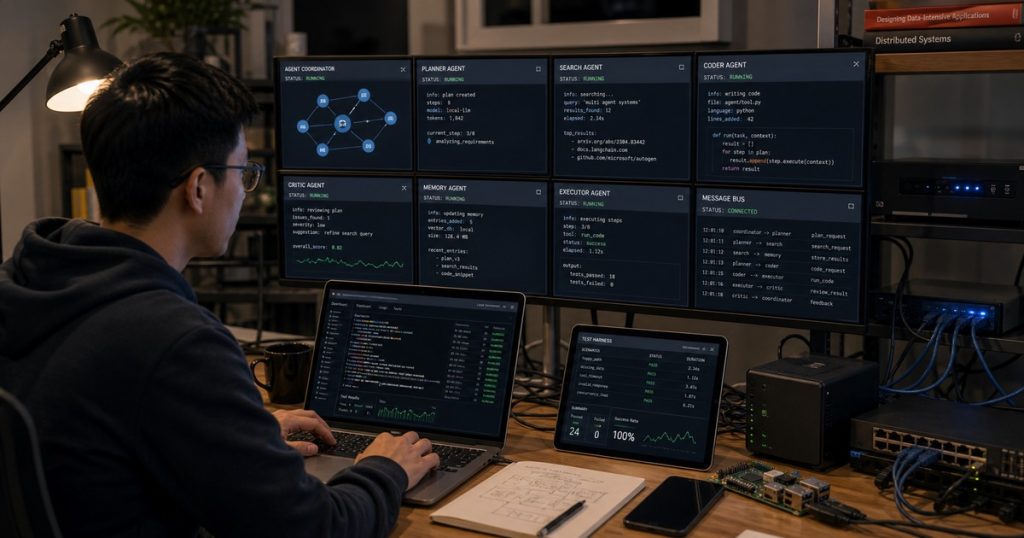
How to Build and Test Multi-Agent Systems Locally Before Production: A Developer’s Guide
You’ve designed a beautiful multi-agent workflow. Three agents — a triage agent, a context collector, and a response generator — passing messages in a neat pipeline. It looks perfect on paper.
Then you deploy it to production, and it falls apart.
When AI Agents Talk Past Each Other: Solving the Silent Drift Problem in Multi-Agent Systems
When AI Agents Talk Past Each Other: Solving the Silent Drift Problem in Multi-Agent Systems Multi-agent systems are… ...
One agent times out. Another hallucinates a key. The third spins in an infinite loop because it received data in a format it didn’t expect. Sound familiar? This happens more often than most teams admit.
The root cause? Nobody tested the full system locally. They jumped straight to cloud staging or production, where debugging is a nightmare and feedback loops are slow. Let me show you how to fix that.

Frequently Asked Questions (FAQ) When Hiring Software Developers in Vietnam
Hiring software developers in Vietnam offers cost-effective talent, but leaders often face critical questions about English skills, timezone… ...
Why Local Testing Matters for Multi-Agent Systems
Multi-agent systems are inherently stateful. Each agent modifies context, passes messages, and depends on the previous agent’s output. That chain of dependencies breaks in subtle ways:
- Message schema drift — Agent A sends a JSON with `user_id`, Agent B expects `userId`.
- Latency assumptions — Agent A returns in 200ms during dev, but 2 seconds when the LLM backend is loaded.
- State corruption — One agent fails, writes partial data to shared memory, and the next agent reads garbage.
Testing these scenarios in a cloud environment is expensive and slow. Every iteration takes minutes. Locally, you can iterate in seconds. That’s the difference between shipping confidently and hoping it works.
The $3,000/minute mistake we almost made
When we started building a multi-agent support system for a US fintech client, our team in Can Tho was responsible for the core orchestration. We had the four senior engineers plus two juniors using the ECOA AI Platform ACP.
We wired up a pipeline with five agents: intent classifier, customer lookup, policy checker, response composer, and escalation router. It worked in our staging environment. We were ready to go live.
Then one of the junior devs — a sharp engineer fresh out of university — suggested we run a local session first with all agents configured to use a local LLM (Ollama with Gemma 2 9B). We hesitated. “We already tested in staging,” I said.
He pushed back. “Staging uses OpenAI’s API. Production too. But we never tested the real message flow with simulated latency and random failures.”
We ran the local test. It took about 30 minutes to set up. And within 5 minutes, we caught a bug: the intent classifier sometimes returned a confidence score as a string (`”0.89″`) instead of a float. The policy checker agent would crash when it tried to compare `”0.89″ > 0.70`. A string comparison in Python gives `True` in that case — but only by accident.
We would have deployed that bug. It would have taken down the policy checker in production, escalating every low-confidence request to humans. Our client would have seen a 4x increase in manual support costs. That’s roughly $3,000 per minute in wasted labor.
We fixed it in ten lines of validation code. And we made local testing a mandatory step for every multi-agent pipeline we build.
Setting Up a Local Multi-Agent Environment
You don’t need a cluster of GPUs. You need Docker, an LLM server (Ollama works fine), and a lightweight event bus. Here’s the setup we use for local development with the ECOA AI Platform ACP.
The stack
| Component | Tool | Why |
|---|---|---|
| Agent runtime | ECOA ACP local mode | Built-in state machine, retry, observability |
| LLM | Ollama (gemma2:9b) | Runs on CPU, fast enough for testing |
| Message broker | Redis (via Docker) | Low overhead, persistent queues |
| Observability | ACP tracing + Loki | Logs, spans, and metrics for each agent step |
| Test harness | Pytest + custom fixture | Injects faults, simulates timeouts |
Installing Ollama on a dev laptop takes 5 minutes. Pull the model, and you’re ready.
bash
# Install Ollama
curl -fsSL https://ollama.com/install.sh | sh

# Pull a model
ollama pull gemma2:9b

# Run it
ollama serve
Now configure your ECOA ACP agents to point to `http://localhost:11434` instead of OpenAI or Anthropic. The ECOA platform normalizes the API — you swap one environment variable, and every agent uses the local LLM.
yaml
# local.ecoa.yaml
agents:
  intent_classifier:
    model:
      provider: ollama
      api_base: http://localhost:11434
      model_name: gemma2:9b
    timeout: 30s
    retry:
      max_attempts: 2
      backoff: exponential
Writing Tests That Actually Catch Real Failures
Unit testing a single agent is easy. You mock the LLM response. But that doesn’t test the interaction.
We use integration tests that run the entire pipeline locally. Here’s the key: we inject faults.
- Random timeouts (e.g., one agent sleeps for 60 seconds)
- Malformed JSON responses
- Empty or partial context
- Race conditions from concurrent agent invocations
Example: Testing with a fault-injection wrapper
python
import asyncio
import random
from ecoc import AgentRuntime

class FaultyAgentRuntime(AgentRuntime):
    async def run_agent(self, agent_name, context):
        if random.random() < 0.2:  # 20% chance of failure
            await asyncio.sleep(random.uniform(10, 30))
            raise TimeoutError(f"Agent {agent_name} timed out")
        return await super().run_agent(agent_name, context)
Run this against your pipeline. Watch what happens. Does your orchestration recover? Does it retry or fail safe? The answers will surprise you.
Real output from one of our tests
[FAULT] Agent 'policy_checker' timed out after 15s
[RETRY] Attempt 1/2 for 'policy_checker' after 5s backoff
[FAULT] Agent 'policy_checker' timed out again after 22s
[RETRY] Attempt 2/2 after 10s backoff
[FAULT] Agent 'policy_checker' timed out final time
[SYSTEM] Escalating to fallback agent 'default_policy' with partial context
That fallback worked because we designed for it. Without local testing, we wouldn't have known the escalation path even triggered.
Observability: The Local Debugging Advantage
When something goes wrong in production, you have logs. Maybe traces. You piece together what happened. It's slow.
Locally, you can pause execution, inspect state, and step through agent messages. The ECOA ACP includes a web-based debugger that shows each agent's input, output, and the decisions it made.
We also dump every message to a local Redis queue with a TTL of 24 hours. You can replay the entire conversation and see exactly where the chain broke.
python
# Example: Capture agent output for debugging
from ecoc import AgentContext

def log_agent_step(agent_name, context: AgentContext):
    print(f"[{agent_name}] Input keys: {list(context['input'].keys())}")
    print(f"[{agent_name}] Output: {json.dumps(context['output'], indent=2)}")
    print(f"[{agent_name}] Latency: {context['latency_ms']}ms")
Use these logs to create a replay file. Then write a test that replays the scenario and asserts no errors.
The "Can Tho Rule" for Multi-Agent Testing
Our team in Can Tho has a simple rule: every multi-agent pipeline must survive a local session with simulated failures before it's allowed into staging. That's it.
The rule came from our senior engineer, Minh, after he spent two days debugging a phantom issue where agents occasionally dropped a field. Turned out the JSON serializer in one agent had a `skipkeys=True` setting that silently dropped keys with non-string keys. The local test caught it in 10 minutes.
Now, before any pipeline is pushed, we:
- Run it locally with a small LLM (gemma2 or phi-3).
- Inject timeouts and malformed responses.
- Check that every escalation path works.
- Run a "happy path" test that produces a known output.
- Commit a JSON fixture of the expected trace.
If it passes, it goes to staging. If it fails, the fix is usually a configuration change or a validation guard — not a rewrite.
The Real Cost of Skipping Local Testing
Let's do the math. A typical staging environment costs around $500/month for compute and API usage. A local environment runs on your laptop — almost free.
But the real cost is developer time. Every time you push to staging, wait 3 minutes for the pipeline to initialize, run the test, and check logs — you've lost 10 minutes per iteration. With local testing, that's 30 seconds.
For a 5-developer team making 50 iterations per week, that's 500 hours saved per year. At $50/hour fully loaded, that's $25,000. And that's before you factor in production outages.
Frequently Asked Questions
Can I use a local LLM for accurate testing, or do I need the production model?
Use a local model for logic and flow testing, not for response quality. The point is to validate message passing, error handling, and state correctness. Use the production model in staging only for end-to-end quality checks. We've found Gemma 2 9B captures the same structural patterns as GPT-4 for most pipeline tests.
How do I simulate network latency without modifying agent code?
Set environment variables `AGENT_TIMEOUT` and `AGENT_LATENCY_MS` in your local config. The ECOA ACP runtime respects these and adds artificial jitter. You can also use tools like `toxiproxy` to inject latency at the network layer.
What if my agents depend on external APIs (databases, third-party services)?
Mock them. Use a local PostgreSQL or SQLite, and write a simple Python mock server that returns predefined responses. The real APIs only get hit in staging. For local testing, you control every response — that's the point.
Is this approach viable for production-scale multi-agent systems with 20+ agents?
Yes. We've tested pipelines with 15 agents locally. The bottleneck is the LLM throughput. We use two Ollama instances or a single local vLLM server to handle concurrent requests. Memory is the limit — 16GB RAM on a laptop can handle 5-8 concurrent agents. For larger systems, scale up to a cheap GPU instance, but keep the tests local to a single machine to maintain fast feedback loops.
Related reading: Outsourcing Software Development Without the Headaches: A CTO’s Playbook for 2024
Related reading: Why Smart CTOs Hire Vietnamese Developers: A Data-Driven Guide for 2025