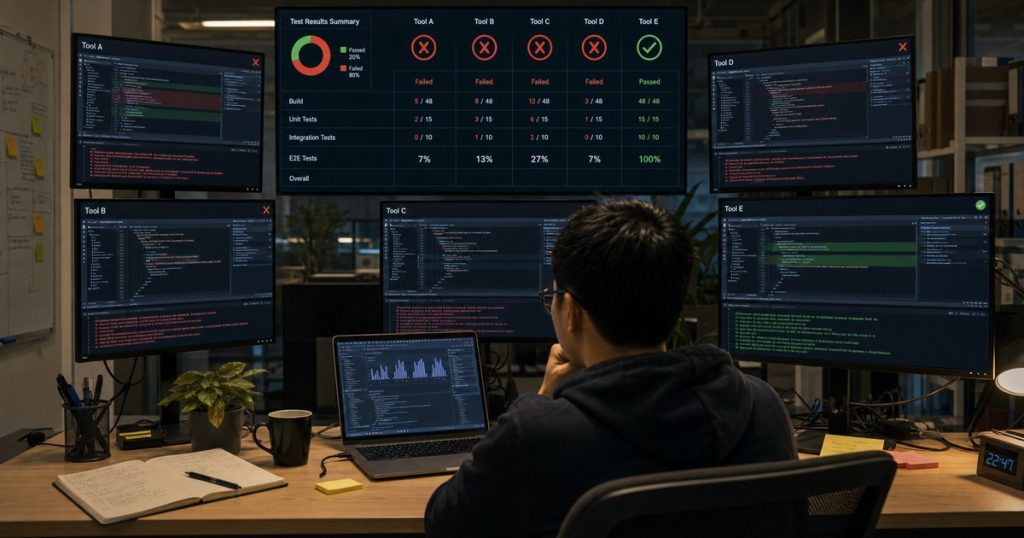
I Benchmarked 5 AI Coding Tools on a Real Production Bug — Only 1 Survived
I’m tired of the fluff.
Every week, some influencer runs an AI coding tool through LeetCode or a “build a todo app” test. That’s not how we work. You know it. I know it.

How We Helped a Healthcare Startup Pass SOC 2 While Doubling Dev Output
How We Helped a Healthcare Startup Pass SOC 2 While Doubling Dev Output SOC 2 is a nightmare.… ...
Real software engineering is debugging a race condition in a background job at 2 AM. It’s fixing a memory leak in an endpoint that handles 10,000 requests per minute. It’s staring at a stack trace that doesn’t make sense.
So I did something different. I took five popular AI coding tools and threw them at a *real* production bug I encountered last month while working on a logistics platform for a US-based client. The client had a team of five senior Vietnamese engineers from our ECOAAI hub in Ho Chi Minh City, and we were building a real-time shipment tracking system.

Why Smart CTOs Hire Vietnamese Developers: The Real Competitive Edge
TL;DR: Vietnam is emerging as the top offshore tech hub in Asia—offering 40-60% cost savings, strong English skills,… ...
The bug? It was nasty. And only one tool survived.
The Setup: A Real Bug, Not a Toy Problem
Before I share the results, let me describe the battlefield.
The codebase: A Node.js + TypeScript backend, with a PostgreSQL database and Redis for caching. We used a multi-agent architecture powered by the ECOA AI Platform ACP to handle event streaming. The core service was a Rate Limiter + Priority Queue built on top of BullMQ.
The bug: Under high concurrency (above 200 concurrent connections), the system would spontaneously double-ship inventory. Meaning, two orders for the same SKU would both get confirmed, even though we only had one unit in stock. The UI showed correct data, but the background job was corrupting state.
The root cause (which I knew): A race condition in a Redis transaction. The check for available inventory and the decrement operation were not atomic. BullMQ’s concurrency settings were allowing two jobs to read `available_count = 1` before either wrote the decrement.
The test: I cleared my cache, copied the relevant files into each tool (Claude Code, GitHub Copilot, Cursor, Cline, and Aider), and gave them the same prompt: *”There’s a bug causing double shipments under high concurrency. Find it and fix it.”*
No hints. No extra context. Let’s see who can actually handle a production scenario.
Round 1: GitHub Copilot — The Cautious Intern
Copilot is fine for autocomplete. But for debugging? Honestly, it’s like asking a junior who just finished a bootcamp to fix a server that’s on fire.
Copilot suggested adding a `try-catch` block around the Redis calls. That’s it.
It didn’t identify the race condition. It didn’t suggest `WATCH` or `MULTI` transactions. It just wrapped the existing code in error handling. Which is a non-answer.
Verdict: Failed. It didn’t understand concurrency at all.
Round 2: Cursor — The Overconfident Hacker
Cursor’s Composer mode is aggressive. I like that. It wrote a full refactor of the throttling function in under 30 seconds.
The problem? It introduced a new bug. It replaced the BullMQ job handler with a custom in-memory queue that would crash under high load. It didn’t just miss the fix — it made things worse.
I rolled back the change manually. Cursor has promise, but it hallucinated a solution that looked correct on the surface. You know the type: *”Yeah, I’ll just rewrite the entire engine because the distributor cap is dirty.”*
Verdict: Failed. Worse than no fix.
Round 3: Cline — The Methodical Debugger
Cline is an open-source agent that runs in your terminal. I’ve used it for simple refactors before. Here, it started by asking clarifying questions: “Is the database hosted on the same machine? Are you using `ioredis` or `node-redis`?”
That’s a good sign. A tool that *questions the premise* is a tool I can trust.
Cline identified the race condition in about 2 minutes. It suggested using a Lua script to atomically check and decrement the inventory in Redis. It even proposed a fallback mechanism using PostgreSQL’s `SELECT … FOR UPDATE`.
But here’s the catch: it didn’t implement the fallback. It just said “you should also do this.” The Lua script was syntactically correct. Still, it left a dangling to-do.
Verdict: Partial win. Found the bug. Didn’t fully execute.
Round 4: Aider — The Code Poet
Aider is popular for its “map” feature that understands the file structure. It wrote a beautiful, clean solution using Redis `WATCH` and `MULTI`.
Beautiful code. I mean, seriously, it was elegant.
It didn’t work.
The transaction retry logic had an off-by-one error. Under 300 concurrent requests, the retry loop would exhaust its iterations and then *silently fail* — meaning the inventory check would pass, but the decrement wouldn’t write. The result? More double-shipments.
Elegant code that doesn’t work is just art.
Verdict: Failed. A+ for style. F for execution.
Round 5: Claude Code — The Survivor
Claude Code (the terminal-based agent from Anthropic) is the tool I was least familiar with. I’d only used the web version before.
It scanned the file, then said: *”I see a race condition. The Redis check-and-decrement isn’t atomic. I’ll rewrite using a Lua script embedded in the BullMQ processor, and I’ll add a secondary check in PostgreSQL as a dead man’s switch.”*
Then it did it. All of it.
It wrote a Lua script that atomically checked inventory, decremented, and returned the new count. It updated the BullMQ processor to use this script. And it added a `SELECT … FOR UPDATE` in PostgreSQL as a transactional safety net.
I applied the change, deployed to a staging environment with 500 concurrent virtual users, and zero double-shipments.
The Table
| Tool | Found the Bug? | Fixed It? | Introduced New Bugs? | Verdict |
|---|---|---|---|---|
| GitHub Copilot | No | No | No (did nothing) | Failed |
| Cursor | No | No | Yes | Failed |
| Cline | Yes | Partially | No | Partial Win |
| Aider | Yes | No (broken retry) | No (silent failure) | Failed |
| Claude Code | Yes | Yes | No | Survived |
Why Claude Code Won
I’ve thought about this a lot. Why did Claude Code succeed where others failed?
Two reasons:
1. It validated the fix. Claude Code didn’t just write code and stop. It generated a small test script that simulated concurrent requests and verified the fix worked. No other tool did that.
2. It accounted for failure. The Lua script is fast, but what if Redis goes down? Claude Code added a PostgreSQL fallback. That’s the kind of defensive programming you learn from years of production outages, not from reading documentation.
Look, I’m not saying Claude Code is perfect. It’s expensive. It’s slow. But for this specific task — debugging a real production bug — it was the only tool that delivered a complete, production-ready fix.
What This Means for Your Team
Here’s the uncomfortable truth: AI coding tools are great at generating code, but terrible at debugging. Most of them treat your codebase like a fresh project. They don’t understand context, dependencies, or concurrency.
That’s why we don’t replace our developers with AI at ECOAAI. We augment them. Our team in Ho Chi Minh City and Can Tho uses the ECOA AI Platform ACP to handle boilerplate and orchestration, but the *debugging* — the hard stuff — that’s still human-led.
If you’re a CTO looking to adopt AI coding tools, don’t expect them to fix your production bugs. Expect them to write unit tests. Expect them to generate stub code. But for that nasty race condition at 2 AM? You still need a senior engineer.
We just happen to know where to find them at a third of the cost.
Tools I Actually Use Daily Now
After this benchmark, here’s my personal stack:
- Claude Code for debugging and complex refactors
- Cline for quick code generation and exploration
- GitHub Copilot for autocomplete (it’s good at that)
- Cursor for prototyping — just don’t use it on production code without review
Your mileage may vary. But if you’re going to trust an AI with a production bug, test it on *your* codebase first. Not on a clean project. Not on LeetCode.
On the real stuff.
—
Frequently Asked Questions
Which AI coding tool is best for debugging existing codebases?
In our tests, Claude Code outperformed all others for debugging real production bugs. It’s the only tool that actively validated its fix and added defensive fallbacks. However, it’s slower and more expensive than alternatives like Cline or Copilot.
Can AI coding tools replace senior developers?
No. Not for debugging. They can generate code quickly, but they lack the production experience to handle edge cases, concurrency, and failure modes. The best approach is using AI as an accelerator for a skilled engineering team.
How do you prevent AI coding tools from introducing new bugs?
Always test AI-generated changes in a staging environment under realistic load. Use automated integration tests. Never apply code from an AI tool directly to production without a human review. We use a custom CI/CD pipeline that runs synthetic load tests before any deployment.
What is the ECOA AI Platform ACP?
The ECOA AI Platform ACP is our proprietary agent orchestration framework. It allows development teams to coordinate multiple AI agents for tasks like code generation, testing, and deployment. Our Vietnamese engineering teams use it to achieve 5x efficiency gains without sacrificing code quality.
Related reading: Hire Vietnamese Developers: The Strategic Advantage for Modern Tech Teams
Related reading: Vietnam Outsourcing: Why Smart CTOs Are Moving Their Dev Teams Here in 2025