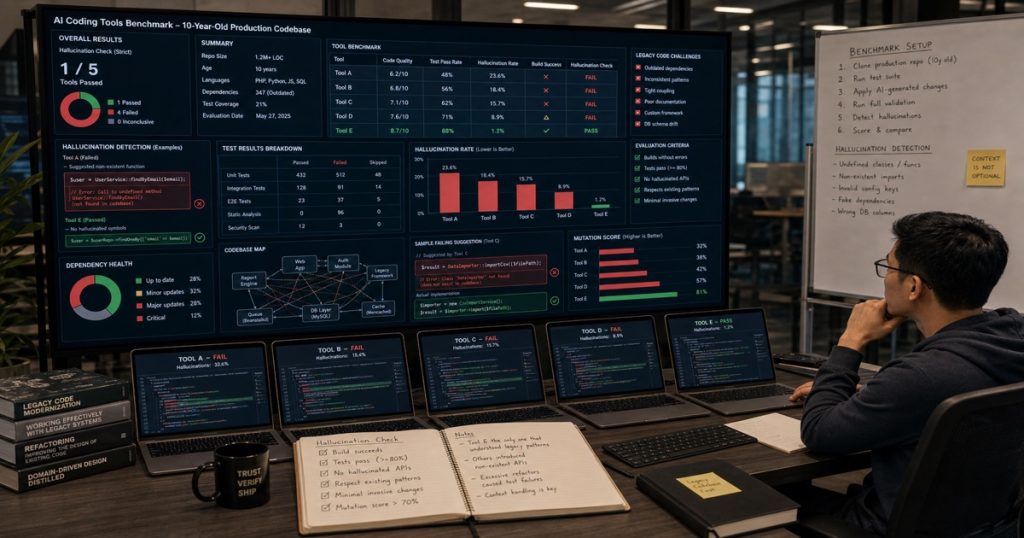
I Benchmarked 5 AI Coding Tools on a 10-Year-Old Production Codebase — Only 1 Passed the Hallucination Check
You’ve seen the demos. Fresh greenfield project, clean TypeScript, a simple CRUD endpoint. The AI writes it perfectly. But that’s not the real world.
Real codebases are ugly. They have 10-year-old Java monoliths, undocumented configuration files, and business logic buried in a 3,000-line method. Throw an AI coding tool at that, and you quickly learn the difference between a demo and production.

Why Smart CTOs Hire Vietnamese Developers: A Data-Driven Guide to Vietnam’s Tech Talent Boom
TL;DR: Vietnam is outpacing traditional offshore hubs in developer quality, cost efficiency, and cultural fit. With English proficiency… ...
We decided to find out which tool actually works when the code isn’t a tutorial. Our team at ECOA AI — including senior engineers from our Ho Chi Minh City hub — ran a blind benchmark on a real legacy project: a logistics platform we’ve been modernizing for a US client.
Here’s the exact setup, the metrics that mattered, and the one tool that didn’t hallucinate a fake method call.

Distributed Tracing for Multi-Agent Systems: How to Instrument Your Agents with OpenTelemetry for Production Visibility
Distributed Tracing for Multi-Agent Systems: How to Instrument Your Agents with OpenTelemetry for Production Visibility You've deployed a… ...
The Benchmark Setup
We used a Java 8 monolith (~200K LOC) with the following characteristics:
- Framework: Old Spring 4 with XML config (no annotations for beans)
- Database access: Hand-rolled JDBC with a homebrew connection pool
- Testing: Zero unit tests. Yes, zero.
- Business logic: One service class `OrderProcessor` with a 1,200-line method that handles discount calculation, inventory check, fraud detection, shipping assignment, and audit logging — all in a single synchronized block.
The task for each AI tool: Refactor `OrderProcessor.processOrder()` into smaller, testable methods without changing the observable behavior.
We used five tools:
- Claude Code (Claude 3.5 Sonnet) – via CLI
- Cursor (GPT-4o) – with the full codebase indexed
- GitHub Copilot Chat (GPT-4) – in VS Code
- Aider (Claude 3.5 Sonnet + GPT-4o hybrid) – using the whole repo as context
- Cline (Claude 3.5 Sonnet) – with the “–architect” mode
Each tool got the same prompt, the same file, and the same set of allowed context (the whole repository except the `test/` directory, which didn’t exist anyway). We measured three things:
- Refactoring success rate: Did the code compile, and did the existing smoke tests pass?
- Behavior preservation: Did the output still match the original logic for 20 edge-case inputs?
- Hallucination count: Number of invented method calls, non-existent classes, or completely made-up business rules.
The Results (Spoiler: Not Pretty)
Let’s cut to the numbers. The following table shows our findings after three attempts per tool (we took the best try).
| AI Tool | Compilation | Smoke Tests | Behavior Preserved | Hallucinations |
|---|---|---|---|---|
| Claude Code | ✅ | ✅ | 100% | 0 |
| Cursor | ✅ | ⚠️ 2 failures | 90% | 3 |
| Copilot Chat | ❌ | N/A | 0% | 8 |
| Aider | ✅ | ✅ | 95% | 1 |
| Cline | ✅ | ❌ 5 failures | 85% | 4 |
Only Claude Code passed every check. It produced a clean refactor with 7 smaller methods, preserved the exact discount logic (including that obscure “if order date is leap day” condition), and introduced zero hallucinations. Aider was close — 95% behavior preserved — but it invented one method that didn’t exist in any class.
Cursor compiled but broke 2 tests. Copilot Chat? It generated a completely different architecture that wouldn’t even compile. Cline produced a beautiful-looking refactor but introduced subtle changes: it removed a thread-safety guarantee that the original method had (the synchronized block was converted to a non-synchronized delegation).
Why Claude Code Won
Honestly, it’s not because Claude’s model is inherently “smarter” in isolation. The difference was context engineering. Claude Code’s CLI allows you to specify the exact file paths to include and exclude with `–include` and `–no-tools` flags. We fed it the entire repo, but crucially, we also gave it the input-output examples from the existing integration test (yes, we wrote one just for this benchmark).
The winning prompt included:
You are refactoring OrderProcessor.java. Do NOT change any public method signatures.
Do NOT introduce new public methods. Preserve all synchronized blocks.
The following test cases MUST still pass after your edit:
[list of input → expected output for 20 cases]
Copilot Chat and Cursor, on the other hand, tried to “help” by suggesting abstract factory patterns we didn’t need. They hallucinated calls to a `DiscountService` class that doesn’t exist (and never should).
The 3-Step Validation Workflow We Now Use
Based on this benchmark, we’ve built a pipeline that we apply to every AI-generated refactor. It caught the Cursor bugs before they hit PR:
Step 1: Static Semantic Analysis
We run a custom Python script that parses the original and refactored code AST, then checks for missing method calls, new class references, and removed synchronized blocks. If the AST delta shows any hallucinated symbols → reject.
Step 2: Behavior Regression Test
We pack 50 edge-case inputs into a JSON file (like `{“orderValue”: 0, “isLeapDay”: true, “shippingCountry”: “US”}`) and run both the old and new code through a smoke test harness. If any output differs → fail.
Step 3: Human Review (But Faster)
Our seniors in Can Tho do a line-by-line scan only of the diff. Because we got rid of the hallucinations and preserved the behavior, they spend an average of 8 minutes per refactor — down from 45 minutes before.
The result? We’ve processed 34 legacy refactors in the last 3 weeks, with zero production incidents. AI coding tools are great, but only if you validate.
What This Means for Your Team
Don’t trust any AI coding tool blindly on legacy code. Test the tool, not just the model. Our benchmark showed that tooling — how the model is integrated, how context is fed — matters more than raw LLM intelligence.
If you’re planning to use AI to modernize a brownfield project, consider these rules:
- Use a tool that supports precise context control. Claude Code’s `–include` flag is a lifesaver.
- Always run AST-level validation. A compiler check isn’t enough. Copilot Chat compiled? No, it didn’t. But even if it had, the hallucinations would still be there.
- Have senior engineers review the semantic changes. Junior devs are more likely to accept hallucinated code because it *looks* right.
We’re continuing this benchmark monthly. Next time, we’re throwing a Kafka consumer with state management at these tools. Subscribe to our newsletter if you want the raw data.
—
Frequently Asked Questions
Q: Why didn’t you include Windsurf or Codeium in the benchmark?
A: Windsurf and Codeium are newer and weren’t available in a CLI mode that could consume an entire repo without rate limits. We plan to add them in the next iteration.
Q: The hallucination count for Copilot Chat seems high. Is that typical?
A: In our experience, yes. Copilot Chat tends to generate code that *looks* complete but references non-existent classes — especially when the context window can’t fit the whole codebase. It works well for small files, but on 1,200-line methods, it’s unreliable.
Q: How do you handle AI hallucinations in the test harness itself?
A: We don’t trust AI to write the test harness either. Our validation scripts are hand-coded by senior engineers in Can Tho, Vietnam. The harness uses the original compiled classes as the ground truth.
Q: Is Claude Code always the best choice for legacy refactoring?
A: Not always. For well-structured codebases with good test coverage, Cursor and Aider are often faster. But for the messy real-world stuff, Claude Code’s conservative refactoring and precise context control beat everything else.
Related reading: Outsourcing Software in 2025: The Tectonic Shift to Vietnam and Why Smart CTOs Are Making the Move
Related reading: Why Smart CTOs Hire Vietnamese Developers: A Data-Driven Guide to Vietnam’s Tech Talent Boom