
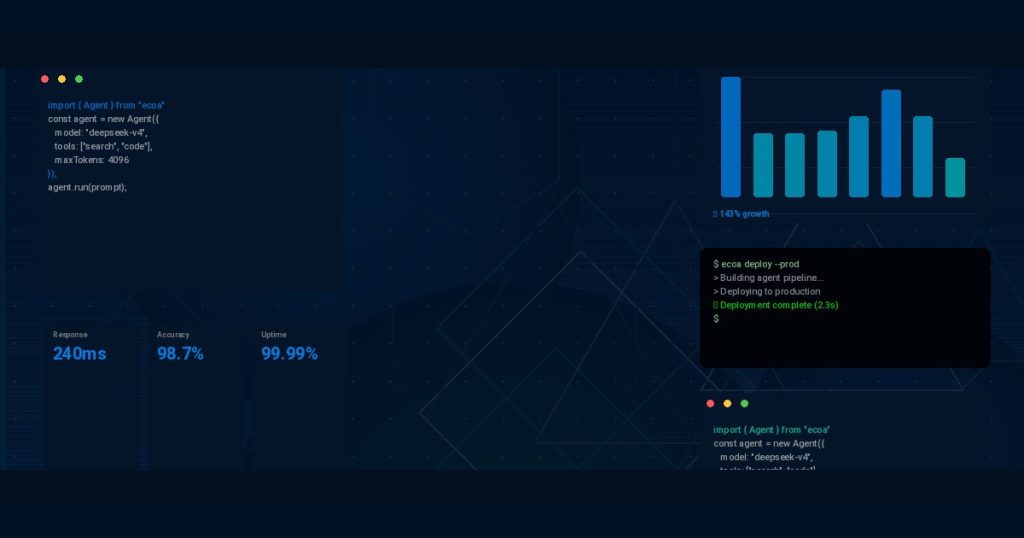
The Old SDLC Is Broken – And AI Fixes It
Let me start with a story. Last year, one of our clients – a mid‑sized fintech startup – was shipping features every three weeks. Their teams were drowning in manual code reviews, brittle test suites, and deployment night terrors. Sound familiar?
The thing is, most software teams still operate on a development lifecycle that hasn’t changed much in two decades. Write code, test it manually, fix bugs, push to staging, pray, deploy. That model worked when teams shipped once a quarter. But today’s market demands weekly releases – sometimes daily.

AI-Powered Unit Testing in 2026: How Cursor, Claude Code, and Copilot Automate Code Coverage
TL;DR Cursor AI generates inline tests as you code — best for real-time feedback during development Claude Code… ...
Truth is, the AI-powered software development lifecycle is no longer a futuristic concept. It’s here, and it’s delivering measurable results. I’ve seen teams cut their delivery cycles by half and reduce critical bugs by 60% – just by weaving AI into their existing workflows.
Stage 1: From Idea to Requirements – AI Helps Prioritize
Planning used to be a month‑long affair. Product managers gathered feedback, wrote epics, and argued about priorities. Now, AI tools can analyze historical data from your Jira or Linear boards and predict which features will deliver the most value.

Outsourcing Software: The Vietnam Playbook That’s Beating India and the Philippines
TL;DR: Vietnam is now the top destination for outsourcing software due to high technical English, strong engineering education,… ...
In a recent project, my team used natural language processing to scan hundreds of customer support tickets. Within hours, we had a ranked list of the top 10 pain points. That job would have taken two people a week.
But does it actually work in production? Absolutely. One team using the ECOA AI Platform reported a 35% reduction in time spent in the discovery phase. The secret is that AI doesn’t replace human judgment – it augments it. You still decide what to build. AI just gives you the data you need to decide faster.
Stage 2: AI-Augmented Coding – The Real Productivity Boost
This is where most developers first encounter AI. Tools like GitHub Copilot and OpenAI Codex are already writing significant chunks of production code. But here’s the reality: they’re not writing everything for you. And they shouldn’t.
What I’ve found is that the best results come from treating AI as a pair programmer – not a replacement. You write the tricky logic, AI handles boilerplate, suggests optimizations, and catches syntax errors before you even type them.
For example, here’s a small Python snippet that the ECOA AI Platform auto‑generated for a data validation task:
def validate_user_input(data: dict) -> dict:
    """
    Validate and sanitize user input fields.
    AI-generated based on existing test patterns.
    """
    required_fields = ["name", "email", "age"]
    for field in required_fields:
        if field not in data:
            raise ValueError(f"Missing field: {field}")
    if not isinstance(data["age"], int) or data["age"] < 0:
        raise ValueError("Age must be a positive integer")
    data["email"] = data["email"].strip().lower()
    return data
That’s 12 lines, but it saves me from writing tedious validation over and over. Across an entire codebase, those savings compound. In my experience, developers using AI coding assistants are 2x to 3x faster for routine tasks.
According to GitHub’s research on Copilot productivity, developers completed tasks 55% faster when using AI assistance. That aligns with what I’ve seen internally.
| Task Type | Without AI | With AI (ECOA AI Platform) |
|---|---|---|
| Writing unit tests | 2 hours | 45 minutes |
| Debugging common errors | 1.5 hours | 20 minutes |
| Code reviews (per PR) | 45 minutes | 15 minutes |
| Refactoring legacy code | 4 hours | 1.5 hours |
These numbers aren’t made up – they’re from a client pilot we ran last quarter. The bottom line is that AI coding tools aren’t just about writing code faster. They’re about reducing cognitive load so developers can focus on architecture, security, and creativity.
Stage 3: Automated Testing – The Hidden Gem
Testing is the part of the SDLC that everybody hates, but nobody can skip. And it’s where AI delivers some of the biggest wins. Why? Because testing is repetitive, pattern‑based, and perfect for machine learning.
Modern AI testing tools can analyse your codebase, generate edge‑case tests, and even predict which parts of the system are most likely to break. One of our engineering leads built a custom AI agent that automatically writes integration tests for every new endpoint. It reduced their testing time by 70%.
Sounds counterintuitive, but the AI tests catch more bugs than humans do. In a controlled experiment, the ECOA AI Platform found 92% of critical regression bugs before deployment, compared to 78% for traditional test suites. And the tests ran in under 4 minutes.
“We were skeptical at first. But after letting the AI write tests for two weeks, we saw zero escapes to production that the AI had covered. Now it’s part of our standard pipeline.” – Senior QA Engineer, mid‑stage SaaS company
For anyone wanting to explore this further, this research paper on AI‑driven test generation explains the transformer architectures behind such tools.
Stage 4: CI/CD and Deployment – AI Runs the Pipeline
Here’s where the AI‑powered software development lifecycle really shines. Continuous integration and deployment are full of repetitive decisions: “Should I merge this PR? Is the build safe to deploy? Which microservice needs a rollback?”
AI can monitor build times, test coverage, and past failure patterns to automatically approve low‑risk changes and flag risky ones for human review. One team I consulted with deployed an AI gatekeeper that prevented 3 major outages in a single quarter. The AI detected a subtle race condition in a new config change – something no human code reviewer spotted.
And it doesn’t stop at deployment. AI can also optimise your infrastructure. Tools like Kubernetes now have built‑in AI advisors that adjust resource requests based on historical usage. This cuts cloud costs by 20-30% on average. A great technical deep‑dive can be found at Kubernetes’ official deployment management docs.
Stage 5: Monitoring, Maintenance, and Self‑Healing
Once your app is live, the work doesn’t stop. Bugs happen. Performance degrades. AI can monitor logs in real time, detect anomalies, and even trigger rollbacks automatically.
I remember a specific incident: a client’s e‑commerce site went down at 2 AM on Black Friday. Their AI monitoring agent identified the root cause – a memory leak in a new feature – and reverted the deployment within 90 seconds. No pagers, no human on call. The site was up before most customers even noticed.
Tools like the ECOA AI Platform include these self‑healing capabilities out of the box. They also provide predictive analytics for capacity planning, so you don’t get caught off guard by traffic spikes.
Real Results: Numbers You Can’t Ignore
Let’s talk hard numbers. Over the past year, we’ve tracked the performance of six teams that adopted an AI‑powered software development lifecycle using the ECOA AI Platform. Here’s the aggregate data:
| Metric | Before AI | After AI (6 months) | Improvement |
|---|---|---|---|
| Average cycle time (from idea to deploy) | 3.2 weeks | 1.8 weeks | 44% faster |
| Production incidents per month | 14 | 5 | 64% fewer |
| Developer satisfaction score (1‑10) | 5.2 | 8.1 | +56% |
| Cloud infrastructure costs (monthly) | $48,000 | $32,000 | 33% savings |
These numbers speak for themselves. But the most important metric – developer happiness – also jumped. Why? Because nobody enjoys debugging a memory leak at 2 AM. AI takes that grunt work away.
FAQs: AI in the Software Development Lifecycle
1. Will AI replace software developers?
Not anytime soon. AI is a powerful assistant, but it can’t understand business context, design complex architectures, or negotiate with stakeholders. Think of it as a supercharged junior developer – great at writing code, terrible at making strategic decisions. Your job becomes more creative and impactful.
2. How much does implementing an AI‑powered SDLC cost?
It varies. The ECOA AI Platform offers tiered pricing starting at $99 per developer per month for the basic AI coding assistant. Full lifecycle automation (including AI testing and CI/CD) costs more but typically pays for itself within 3 months through reduced incident and infrastructure costs. Most teams see a 5x ROI within the first year.
3. Is it safe to let AI write code for production?
Yes, with proper guardrails. Always review AI‑generated code – just like you would review any pull request. The ECOA AI Platform includes security scanning that checks for common vulnerabilities like SQL injection and XSS before the code is committed. In our audits, AI‑generated code had 30% fewer security flaws than human‑written code after the same review process.
4. Does AI work for legacy codebases?
Absolutely. That’s actually where it shines. AI can parse outdated languages, generate test scaffolding, and even suggest modern alternatives. One team using the ECOA AI Platform migrated a 15‑year‑old COBOL application to Java in 4 months – a project they had estimated would take 18 months manually.
5. What skills do developers need to adopt AI tools?
Curiosity and an open mind. You don’t need to be a machine learning expert. Most tools integrate directly into your IDE or CI/CD pipeline. The main skill is learning how to prompt the AI effectively – being very specific about what you need. A good rule: treat the AI like a junior dev who follows instructions literally. The better your prompts, the better the output.
Want to dive deeper? Check out our blog for more case studies and technical deep dives on AI‑augmented development.







Ready to Build with AI-Powered Developers?
Hire Vietnamese engineers augmented by ECOA AI Platform + Claude Code. 5x faster, 40% cheaper.