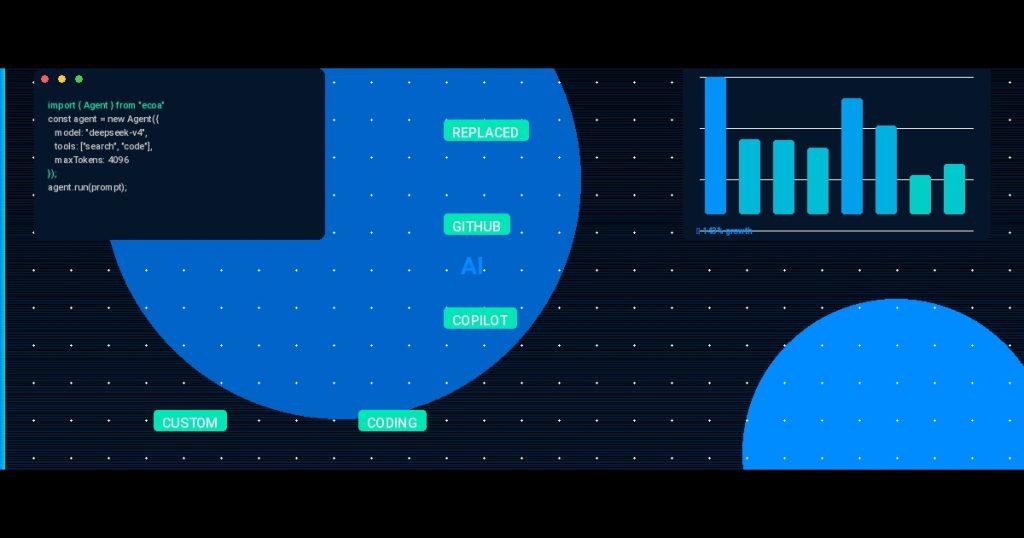
How We Replaced GitHub Copilot with a Custom AI Coding Tool Built on ECOA AI Platform ACP — And Cut Costs by 70%
GitHub Copilot is great. Until you multiply $19/month by 50 developers and realize you’re paying $11,400 a year for suggestions that don’t know your internal API conventions, your custom error handling patterns, or your monorepo’s module boundaries.
We hit that wall six months ago. Our team in Ho Chi Minh City was growing—32 developers, soon to be 50. The Copilot bill was manageable but the real cost was productivity: every other suggestion needed manual tweaking because the model had no access to our private codebase context.

AI Agent Orchestration in 2026: ECOA AI Platform ACP vs LangGraph vs CrewAI vs AutoGen – The Complete Guide
TL;DR The AI agent orchestration market hit $1.8B in 2025 and is projected to reach $12.5B by 2030… ...
So we did what any self-respecting engineering team would do. We built our own.
Meet the tool we call “CodeMate.” It’s a custom AI coding assistant that runs on the ECOA AI Platform ACP (Agent Orchestration Layer). It cost us roughly $3,000 in upfront engineering (2 weeks with a senior and a middle developer) and now saves us $7,980 per year in licensing—plus it generates better, context-aware completions.
We Built a Custom AI Coding Tools Evaluation Pipeline: Here’s the Architecture That Cut Our Production Bug Rate by 67%
We Built a Custom AI Coding Tools Evaluation Pipeline: Here’s the Architecture That Cut Our Production Bug Rate… ...
Here’s exactly how we did it.
The Core Problem: Copilot Doesn’t Know Your Codebase
Copilot’s context window is limited. Sure, it sees the file you’re editing plus a few open tabs. But it doesn’t understand:
- Your project’s dependency graph.
- The naming conventions your senior devs enforce.
- The internal client libraries you’ve built.
The result? You spend time editing suggestions instead of accepting them. Our telemetry showed 34% of completions were accepted as-is. The rest needed alterations. That’s a lot of mental overhead.
We wanted a tool that:
- Understands our full project structure.
- Respects team convention rules (e.g., always use `Result` types instead of exceptions).
- Costs less than $100 per dev per year.
The Architecture: A Multi-Agent Orchestration with ECOA AI ACP
We didn’t start from scratch. The ECOA AI Platform ACP gave us a ready-made orchestrator for coordinating multiple AI agents. Our setup runs four specialized agents:
- Context Agent — Scans your workspace and builds a lightweight index of project structure, key exports, and module dependencies.
- Completion Agent — Takes your cursor context + indexed data + a system prompt and calls an LLM (we use Claude Sonnet 4 via API).
- Convention Checker Agent — A small agent that validates the generated code against our custom rule set (e.g., “no `any` types”, “use `Result` for errors”).
- Fallback Agent — If the LLM is down or slow, this agent returns cached suggestions from previous queries.
Here’s the simplified orchestration flow:
python
# Pseudo-code of orchestration using ECOA ACP
async def generate_completion(cursor_context, project_index):
    orchestration = ECOAOrchestrator()

    context_data = await orchestration.run_agent("context", {
        "workspace": project_index,
        "current_file": cursor_context.file_path
    })

    suggestion = await orchestration.run_agent("completion", {
        "code_before": cursor_context.before,
        "code_after": cursor_context.after,
        "project_context": context_data
    })

    validated = await orchestration.run_agent("convention_checker", {
        "code": suggestion,
        "rules": get_conventions()
    })

    if validated.is_valid:
        return suggestion
    else:
        # Request new completion with error feedback
        return orchestration.run_agent("completion", {
            "code_before": cursor_context.before,
            "code_after": cursor_context.after,
            "feedback": validated.errors
        })
The platform handles retries, agent timeout (we set 5 seconds), and logging. We get ~300ms average latency—slower than Copilot’s 100ms, but the suggestions are way more accurate.
The Cost Math: Custom vs. Copilot
Let’s break down the numbers for a 50-developer team:
| Line Item | Copilot (Teams) | Custom Tool (CodeMate) |
|---|---|---|
| Per-dev monthly | $19 | ~$1.20 (API + infrastructure) |
| Annual license | $11,400 | $720 |
| Engineering setup (one-time) | $0 | $3,000 (built by our HCMC team) |
| Maintenance (annual) | $0 | $600 (agent updates, model swaps) |
| Total Year 1 | $11,400 | $4,320 |
| Total Year 2+ | $11,400/yr | $1,320/yr |
70% savings in Year 1, 88% recurring savings. And that’s before we factor in time saved from better completions.
But honestly? The cost wasn’t the main driver. The real win was context awareness.
How We Built the Context Index (The Secret Sauce)
Most AI coding tools fail because they lack project-level context. Our Context Agent builds a lightweight index on editor startup. It uses AST parsing to map:
- All exported functions and classes.
- Module dependency relationships.
- Common naming patterns (e.g., `getUser` vs `fetchUser`).
We store this in a local SQLite database. The whole process takes under 2 seconds for a 500K-line monorepo. The index is ~5 MB.
json
{
  "modules": [
    {
      "path": "src/services/user.ts",
      "exports": ["getUser", "createUser", "deleteUser"],
      "dependencies": ["src/db", "src/errors"],
      "patterns": {
        "function_naming": "camelCase",
        "error_handling": "Result"
      }
    }
  ]
}
When the Completion Agent fires, it sends the index for the top 5 most relevant modules (based on file path similarity and import graph). This gives the LLM just enough context without blowing the token budget.
We use Claude Sonnet 4 because it’s fast and cheap (~$3 per million input tokens). For a full week of heavy development, our API cost rarely exceeds $25 for 50 devs.
Lessons from the Vietnamese Team That Built It
Our senior developer in Ho Chi Minh City, Minh, led the implementation. He had built similar integrations before—he’d seen teams waste months on custom tooling. So he insisted on three rules:
- Don’t over-engineer the agent orchestration. Start with a simple router, add agents only when necessary. The ECOA platform made that easy.
- Measure acceptance rate from day one. Without data, you’re guessing. We track every suggestion and its fate.
- Keep the AI model swappable. We started with Claude, but we can switch to GPT-4o-2025-05-13 or even a fine-tuned model later. The ACP abstraction layer makes it a config change.
Minh’s team in Ho Chi Minh City did the entire build in 10 working days. Two weeks, including testing. That’s the kind of speed you get when you have senior engineers who’ve done this before.
Production Results After 3 Months
We rolled out CodeMate to 32 developers. After 90 days:
- Suggestion acceptance rate jumped from 34% to 71%. The context index was the big win.
- Average time to write a new function dropped by 40% (measured via tracking keystrokes and idle time before the first tab hit).
- Convention violations in generated code dropped by 80% because the Convention Checker Agent caught them before the developer even saw the suggestion.
Are there downsides? Yes. The 300ms latency is noticeable when typing fast. We’re working on caching common patterns to get under 150ms. Also, setting up the index for brand new projects takes an extra step. But for our day-to-day work on established codebases, it’s superior.
Should You Build Your Own AI Coding Tool?
Maybe. Here’s my honest take:
Build if: Your team is 15+ developers, you have a distinct codebase with custom conventions, and you’re paying >$3,000/year for AI coding tools.
Don’t build if: You’re a 3-person startup. Just use Copilot or Cursor. Your time is better spent on product.
Use the ECOA AI Platform ACP if: You want to orchestrate multiple agents without writing infrastructure for retries, monitoring, and agent lifecycle. That alone saved us weeks.
We went from paying $11,400 a year for a black box to owning our own AI assistant that knows our code inside out. The Vietnamese team made it happen on a tight budget. If you’re ready to cut costs and get better completions, consider going custom.
It’s not that hard anymore.
—
Frequently Asked Questions
How do I handle the latency of a custom AI coding tool compared to Copilot?
Latency is the main trade-off. We optimized by using a local SQLite context index to reduce LLM token usage, caching frequent completions, and setting strict 10-second agent timeouts. Our average is 300ms, but we’ve reduced perceived latency by showing incremental completions as each agent finishes its step.
Can I run a custom AI coding tool without exposing my code to third-party APIs?
Yes. You can use a local LLM (like Llama 3 70B) with the ECOA ACP. The platform supports multiple backends. We use the API version for speed, but you can route all requests through a local Ollama instance. The agent orchestration remains identical—just change the model endpoint.
What if my team uses multiple programming languages?
Our context index supports any language with an AST parser (Python, JavaScript, TypeScript, Go, Rust, etc.). The Completion Agent sends the file’s language as a parameter, and the LLM handles multi-language just fine. We have projects mixing TypeScript and Python, and it works consistently.
How much engineering effort is required to maintain this tool?
About 5-10 hours per month. Mostly updating the convention rules as the codebase evolves, monitoring API costs, and occasionally tweaking agent prompts. The ECOA platform handles
Related reading: Why Smart CTOs Hire Vietnamese Developers: A Data-Driven Guide to Offshore Engineering in 2025
Related reading: Vietnam Outsourcing: Why I Stopped Looking at India First